Welcome to a brand new chapter in the KDx story!
From today, owners of MONTAGE family synths will have access to my brand new Live Set Editor as part of KDx at no additional cost.
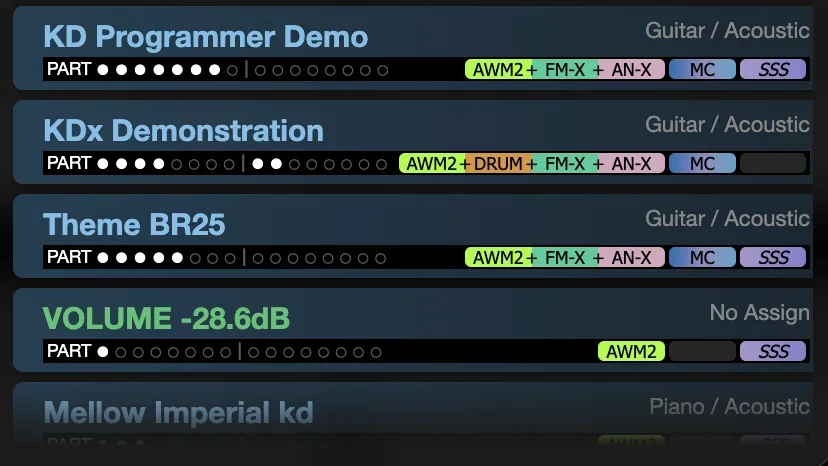
The KDx Live Set Editor is the most intuitive and powerful way to manage Live Sets on your Montage or MODX, with tools to manage individual Live Set slots, and rearrange slot order across all sixteen pages in ways that are impossible using the synth alone.
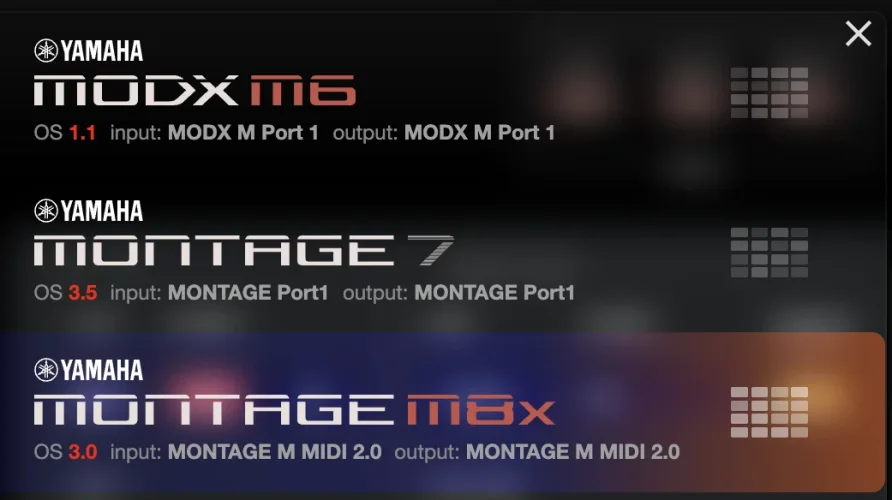 o open the Live Set Editor, you'll find Live Set graphics next to Montage and MODX devices in the KDx synth chooser menu.
Click one of these, and you'll be taken to the Live Set editor for that synth.
I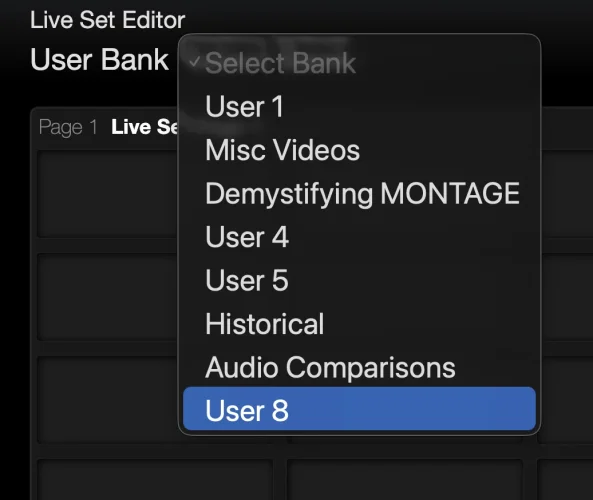 nitially, you will be presented with an empty page, as no Live Set user bank has been loaded yet.
Use the menu in the header to select the Live Set bank you want to edit, and the synth will start to deliver the Live Set data to the editor.
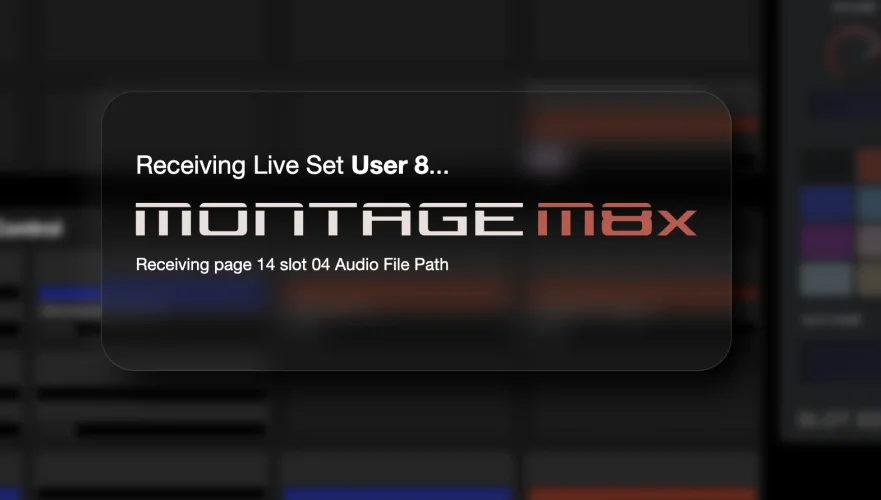
Once the data is delivered, the editor will start to load the performance data for any User or Library performances within that Live Set. Just let this continue for now.
After all the performances have been loaded, you can start using the editor.
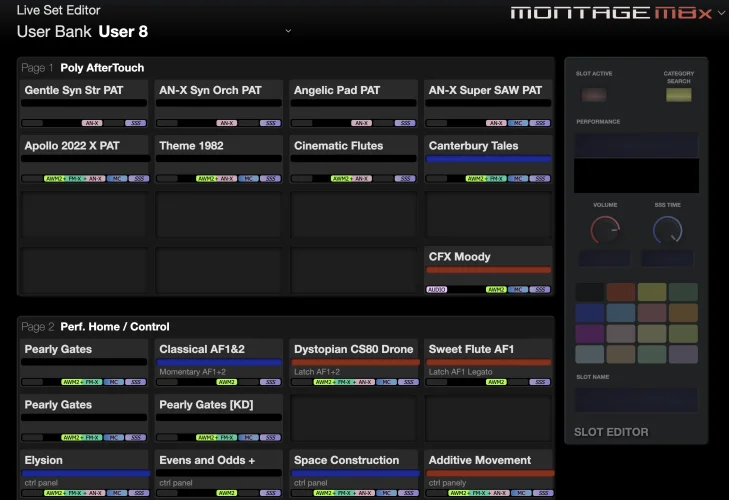
All sixteen pages of the Live Set are shown in the same interface, and you can scroll the page up and down to view them all.
To edit a slot, just click it.
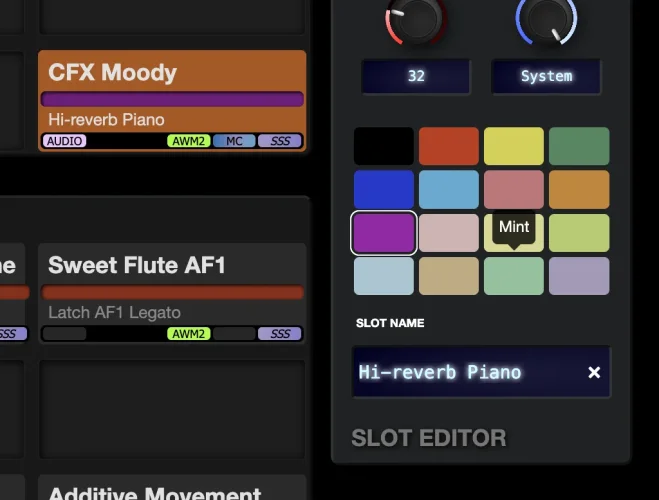
This will activate the edit panel, where you can change the slot's color, name, volume and SSS settings.
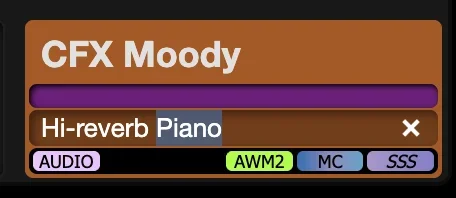 You can also edit slots' names by clicking on the name within the slot itself., then using the tab key to jump to the name of the next slot.
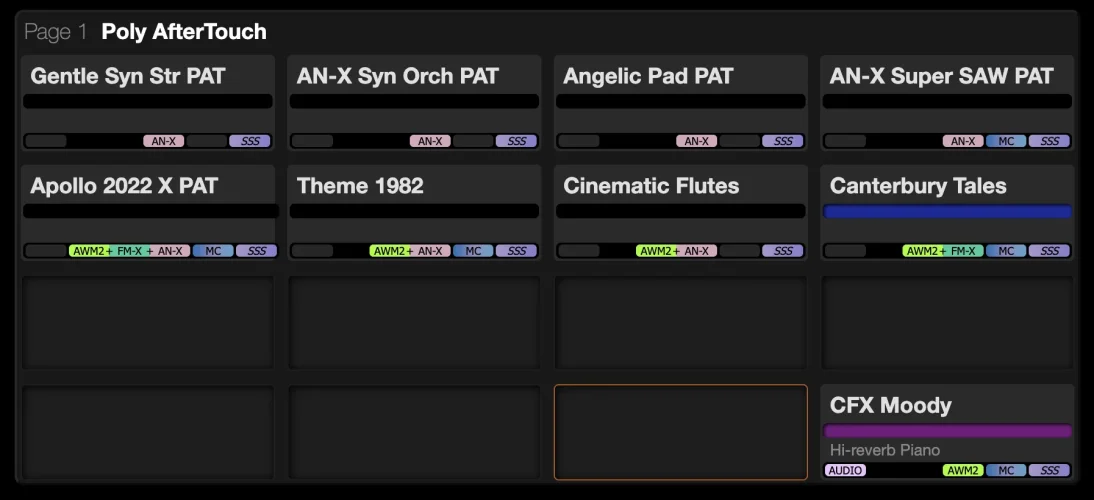 ou can add performances to empty slots simply by clicking on a slot, then using the Category Search button to open the familiar performance search dialog, where you can filter and select any performance.
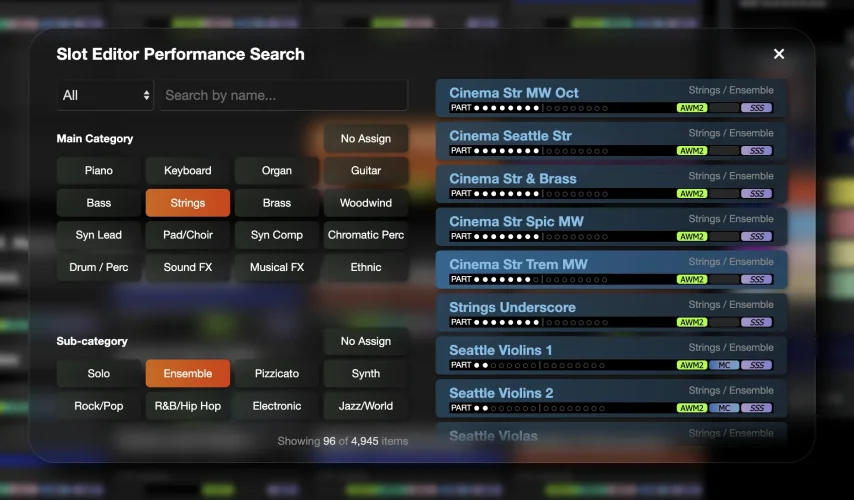 Close the dialog when you're done, and your selected slot will have the selected performance.
You can drag slots between pages if you want, and the surrounding slots will automatically update.
It is also possible to drag multiple slots at the same time. Just select a block of slots while holding down the Shift key, then you can move them all as one.
You can even drag an entire page of Live Set slots to another page if you wish.
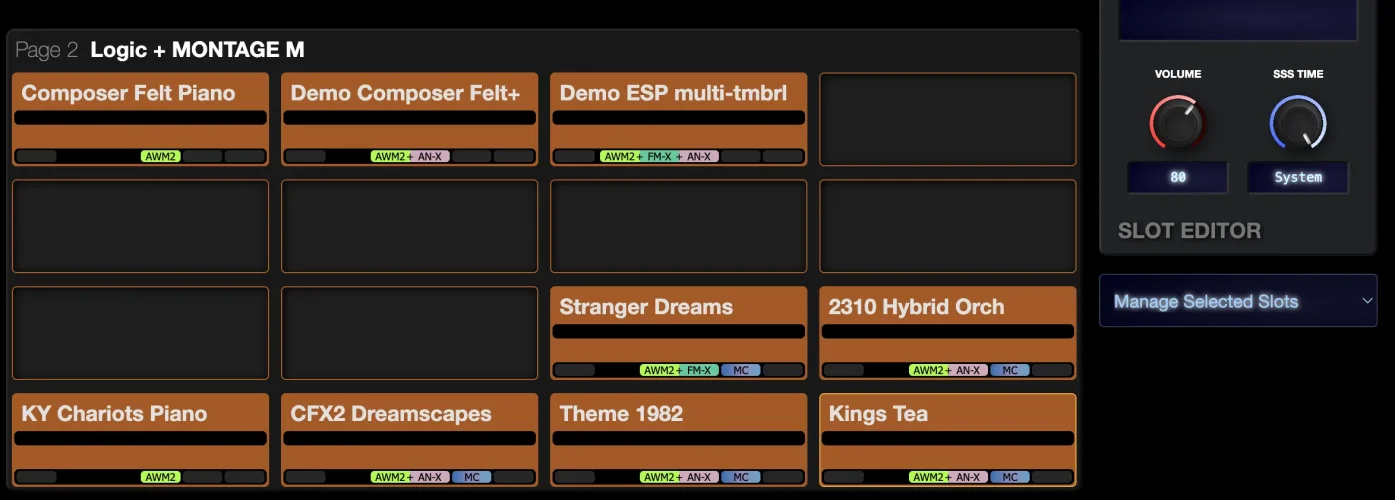
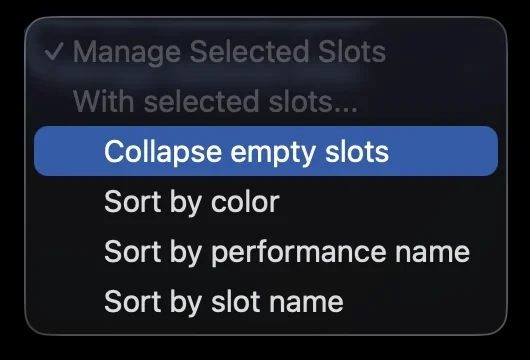 Using this tool, you can choose to automatically rearrange the selected slots. A particularly useful option is the Collapse empty slots option.
I have a demo and a setup tutorial video available on my YouTube channel, which I suggest you check out in order to see what the KDx Live Set editor can do, and how to sync your User and Library performances to the system so it doesn't need to scan them whenever you load a new Live Set bank.
Let me know how you get on!
From today, owners of MONTAGE family synths will have access to my brand new Live Set Editor as part of KDx at no additional cost.
The KDx Live Set Editor is the most intuitive and powerful way to manage Live Sets on your Montage or MODX, with tools to manage individual Live Set slots, and rearrange slot order across all sixteen pages in ways that are impossible using the synth alone.
Opening the Editor
To open the Live Set Editor, you'll find Live Set graphics next to Montage and MODX devices in the KDx synth chooser menu.Click one of these, and you'll be taken to the Live Set editor for that synth.
I
nitially, you will be presented with an empty page, as no Live Set user bank has been loaded yet.Use the menu in the header to select the Live Set bank you want to edit, and the synth will start to deliver the Live Set data to the editor.
Once the data is delivered, the editor will start to load the performance data for any User or Library performances within that Live Set. Just let this continue for now.
 Using the Editor
After all the performances have been loaded, you can start using the editor.All sixteen pages of the Live Set are shown in the same interface, and you can scroll the page up and down to view them all.
To edit a slot, just click it.
This will activate the edit panel, where you can change the slot's color, name, volume and SSS settings.
You can also edit slots' names by clicking on the name within the slot itself., then using the tab key to jump to the name of the next slot.Performance Selection
You can add performances to empty slots simply by clicking on a slot, then using the Category Search button to open the familiar performance search dialog, where you can filter and select any performance.Close the dialog when you're done, and your selected slot will have the selected performance.Ordering
To change the order of Live Set Slots, just drag them around.You can drag slots between pages if you want, and the surrounding slots will automatically update.
It is also possible to drag multiple slots at the same time. Just select a block of slots while holding down the Shift key, then you can move them all as one.
You can even drag an entire page of Live Set slots to another page if you wish.
Multi-Tool
With multiple slots selected, a new tool appears below the editor panel.Using this tool, you can choose to automatically rearrange the selected slots. A particularly useful option is the Collapse empty slots option.I have a demo and a setup tutorial video available on my YouTube channel, which I suggest you check out in order to see what the KDx Live Set editor can do, and how to sync your User and Library performances to the system so it doesn't need to scan them whenever you load a new Live Set bank.
Let me know how you get on!